


School & Dance Concert Video in Sydney
Give students and families a lasting record of the performance they have worked towards. Moving Memories provides video coverage for school concerts, dance schools, end-of-year performances, eisteddfods, musical societies and academies.
From ballet and contemporary dance to ballroom, breakdance and school productions, we plan the camera coverage and sound around your performance.
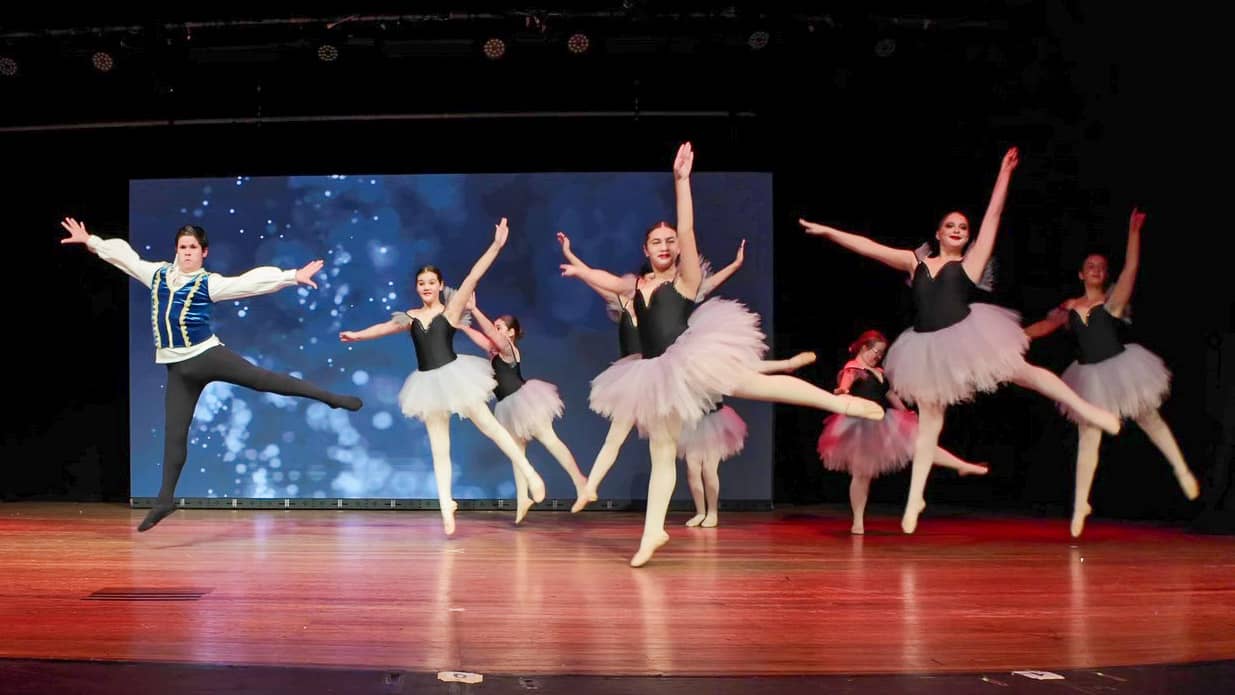
From ballet and contemporary dance to ballroom.
Capture the choreography, expressions and sound
Good concert coverage balances the whole stage with closer views of individual performers. Camera placement, steady framing, changing stage lighting and clear sound all contribute to a recording that does justice to the performance.
We can discuss single-camera or multi-camera coverage, complete concert edits and shorter highlights for your school or studio. The right approach depends on your venue, budget, number of performers and intended audience.
Concert video packages from $999
The final quote depends on concert duration, camera and crew requirements, venue access, audio arrangements, editing and delivery. Tell us about your performance so we can discuss suitable coverage.
Share your date, venue, programme, approximate running time and number of performers. Let us know about rehearsals, lighting changes, key solos and any venue restrictions.
Concert moments from our work
A selection of photographs from the concert material on this page. Tap an image to view it larger.
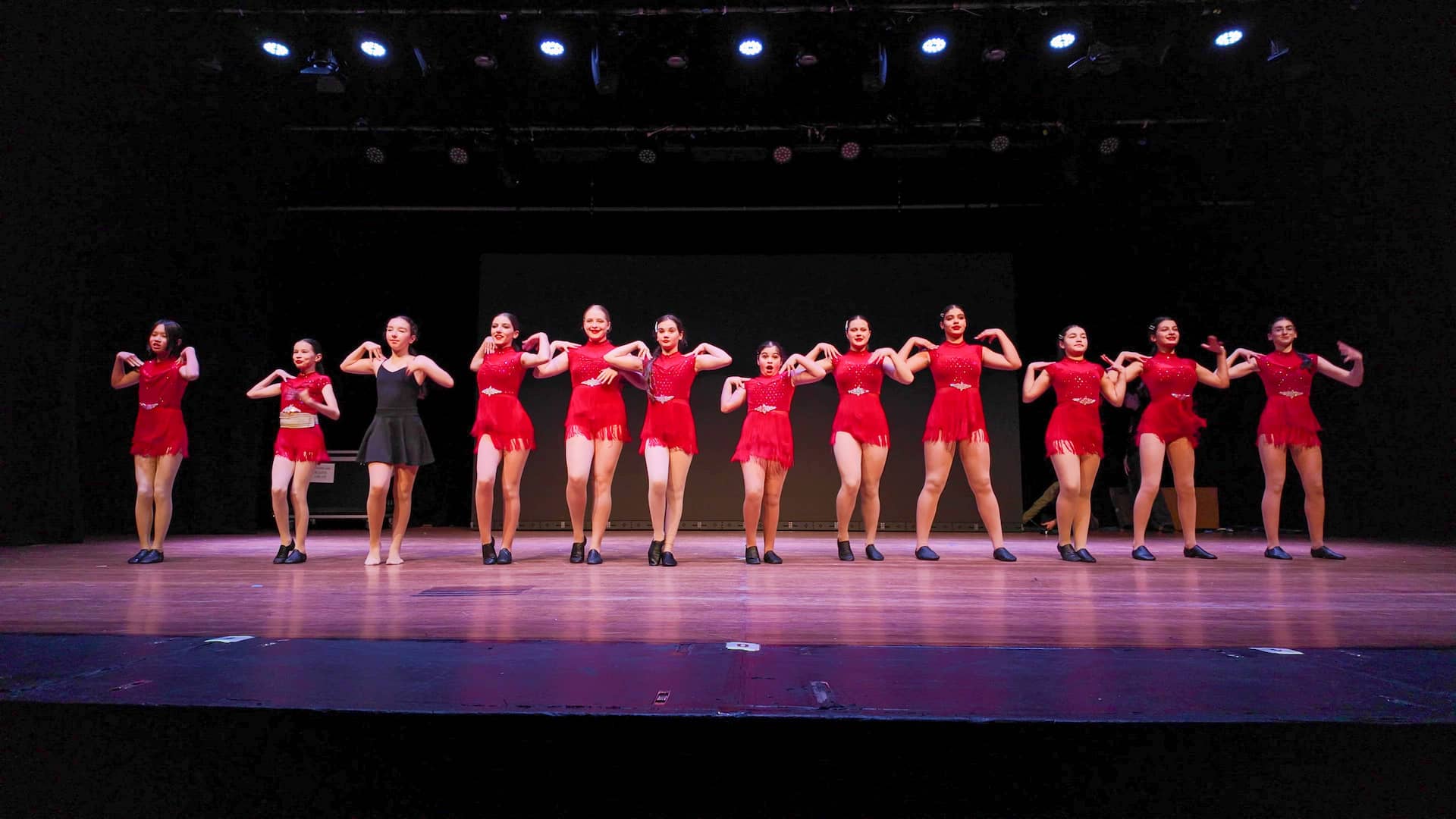


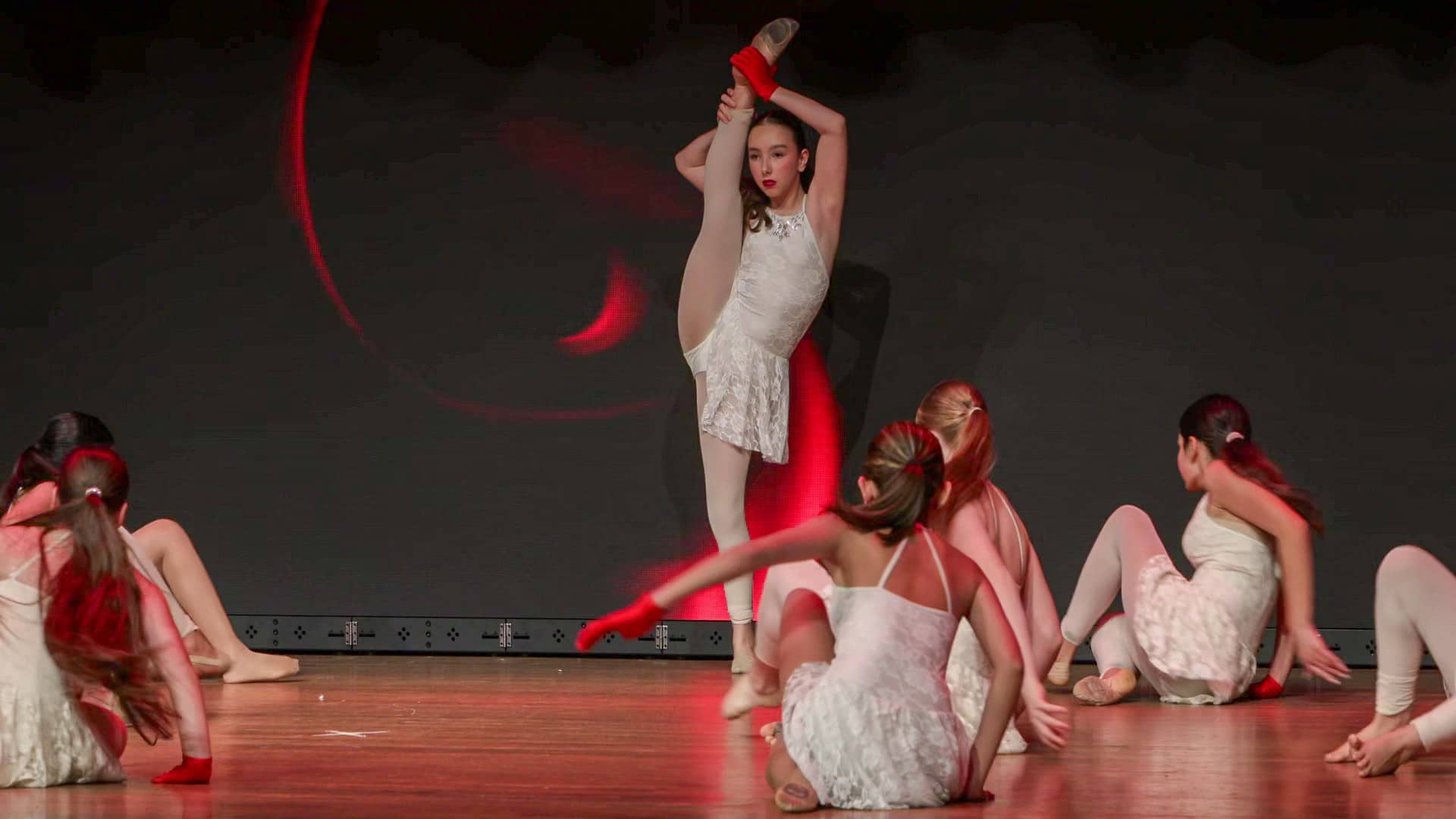


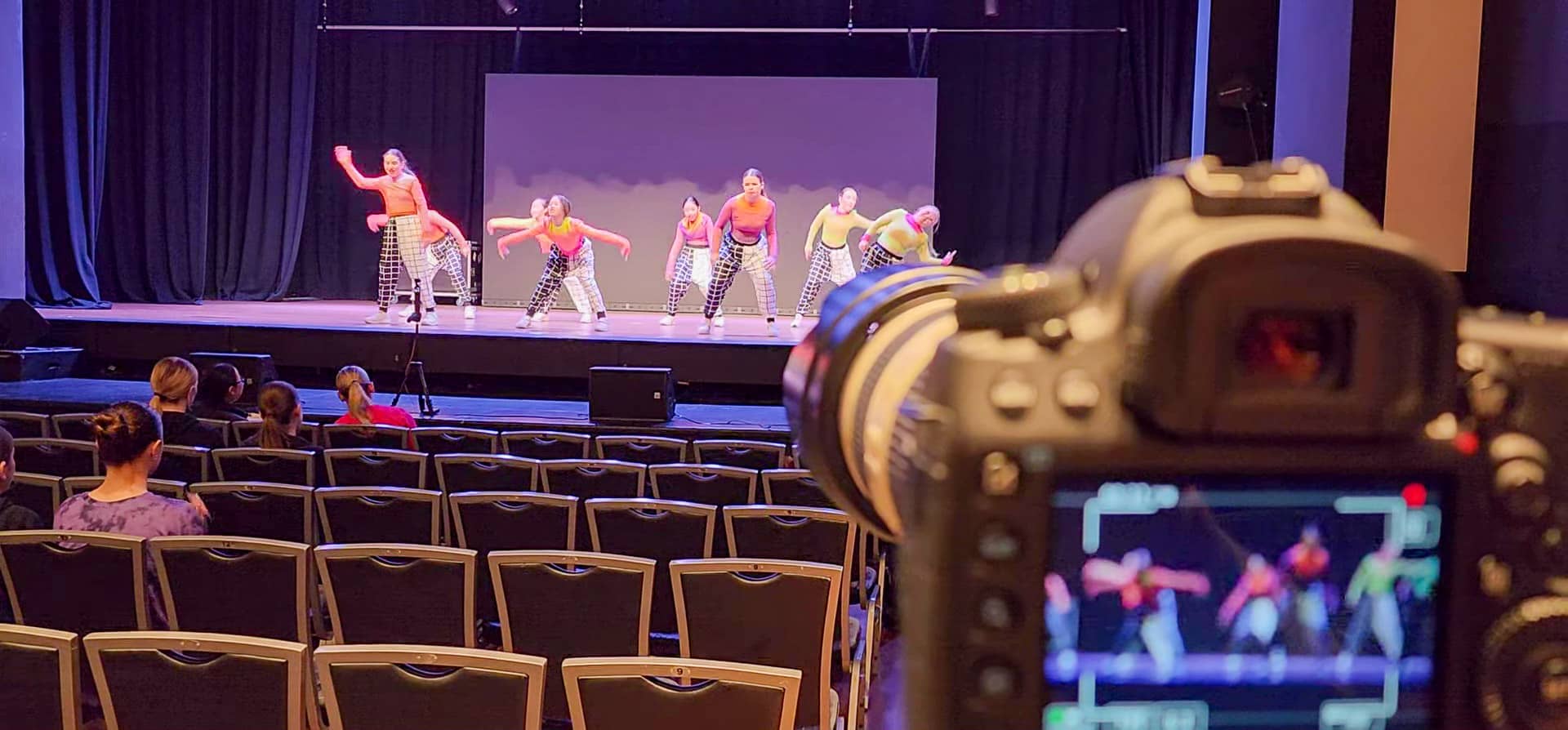
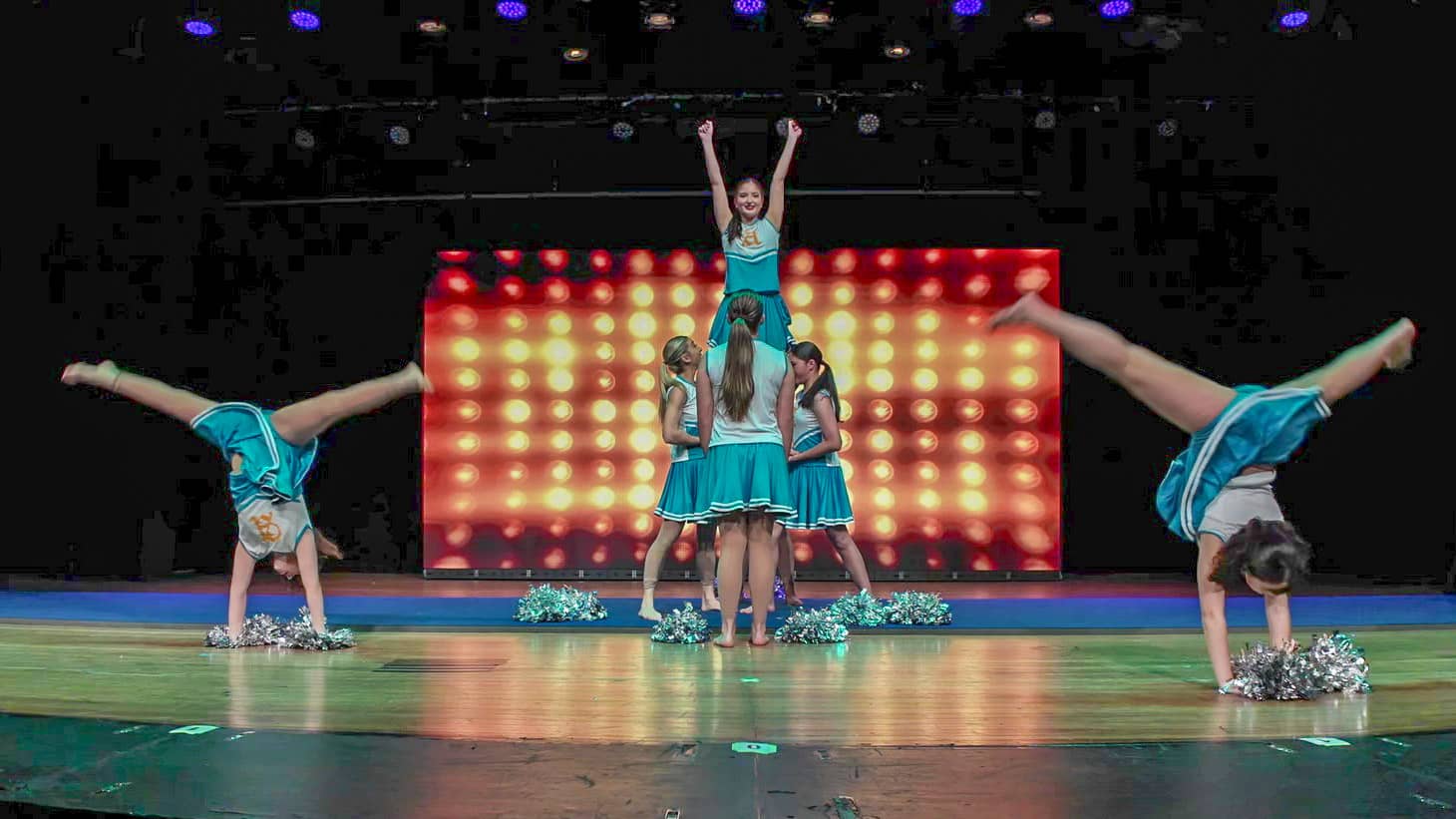


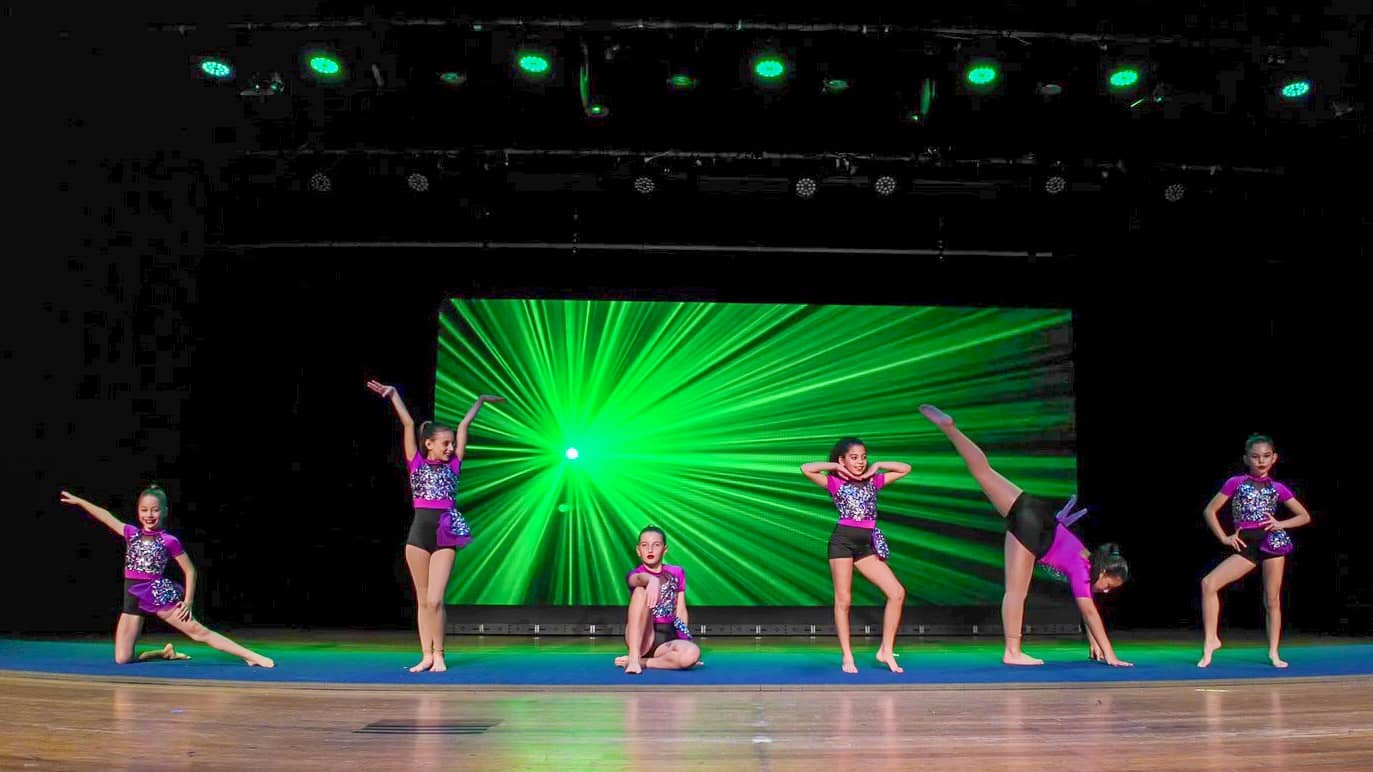
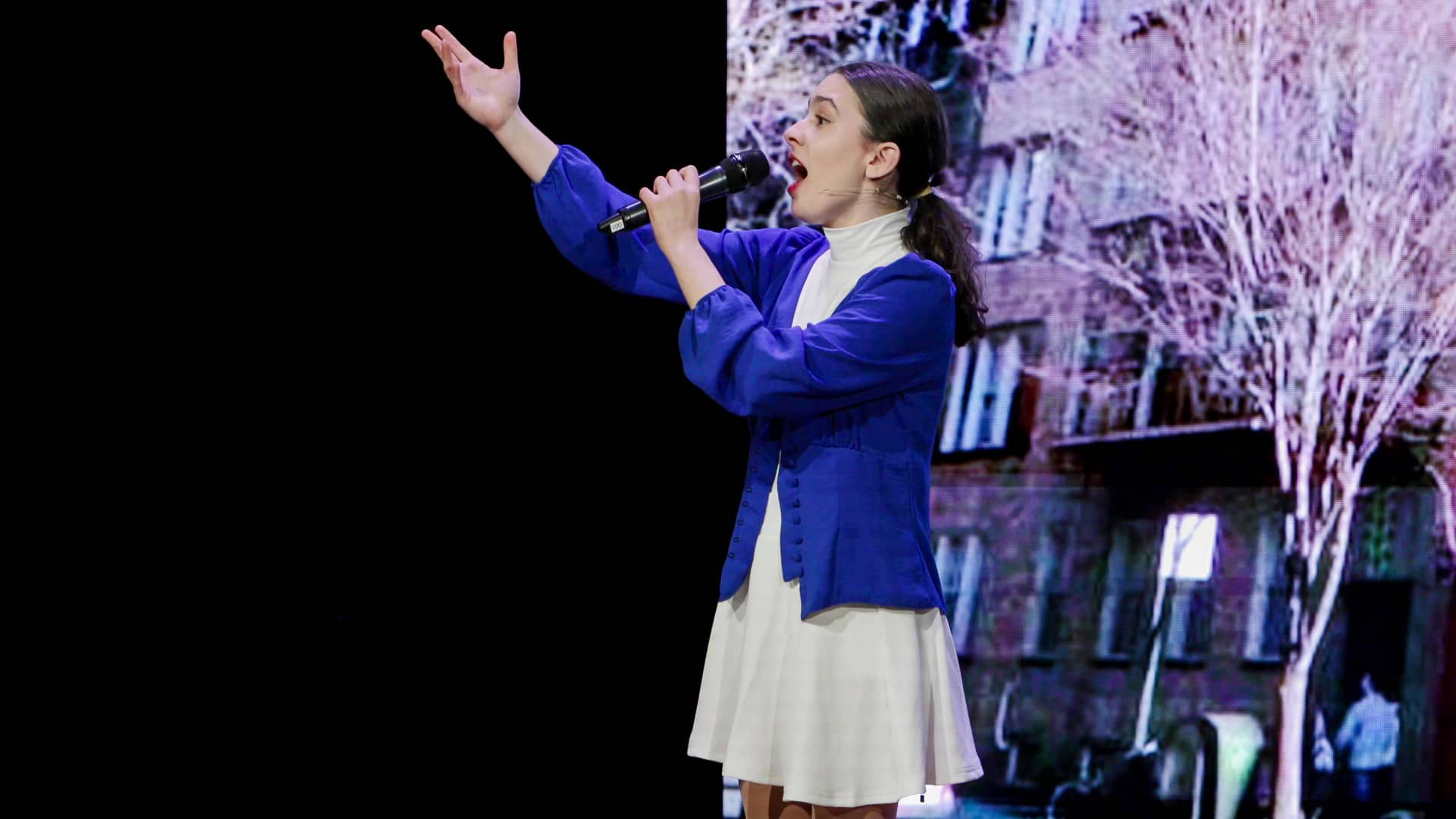
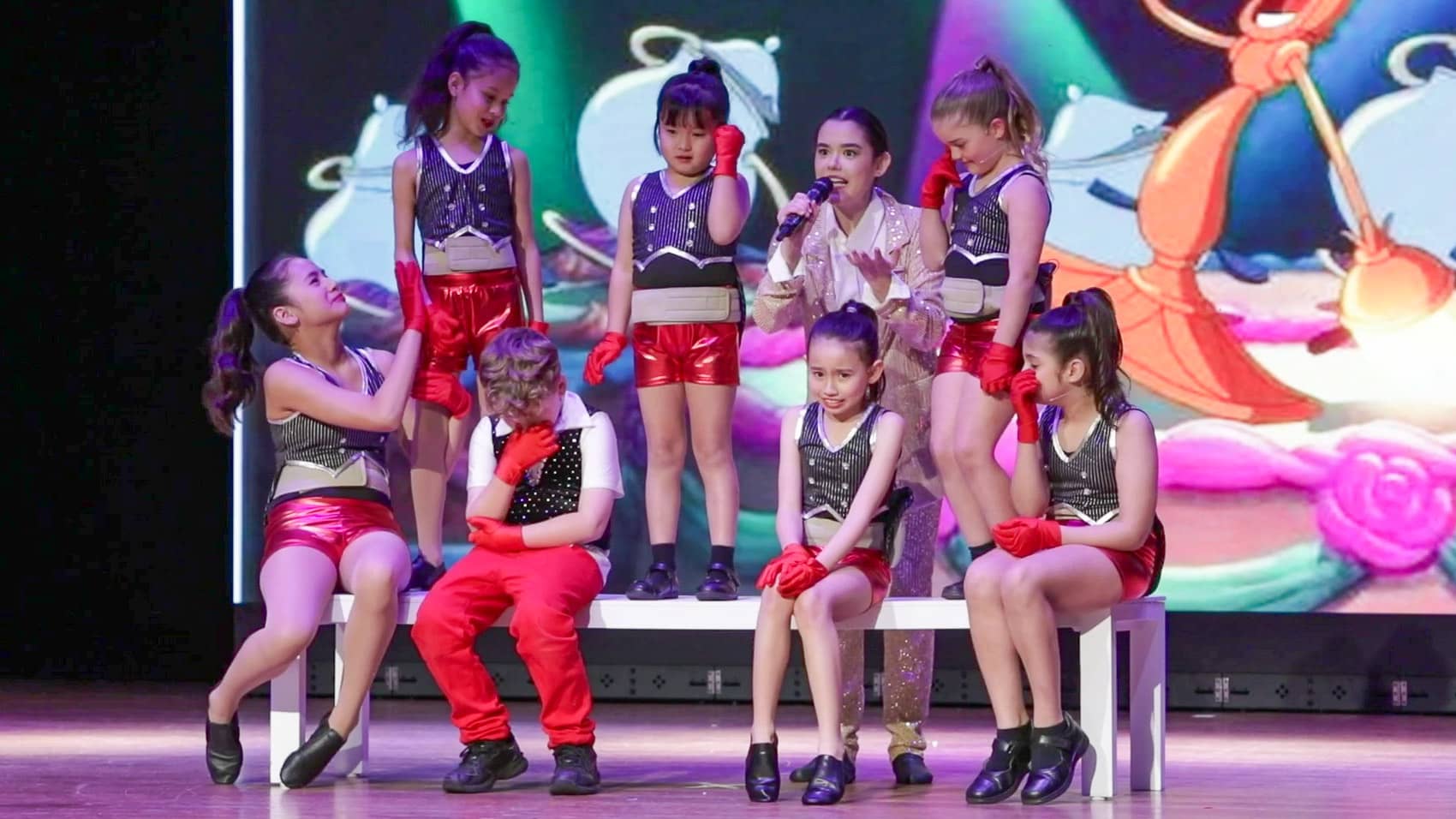
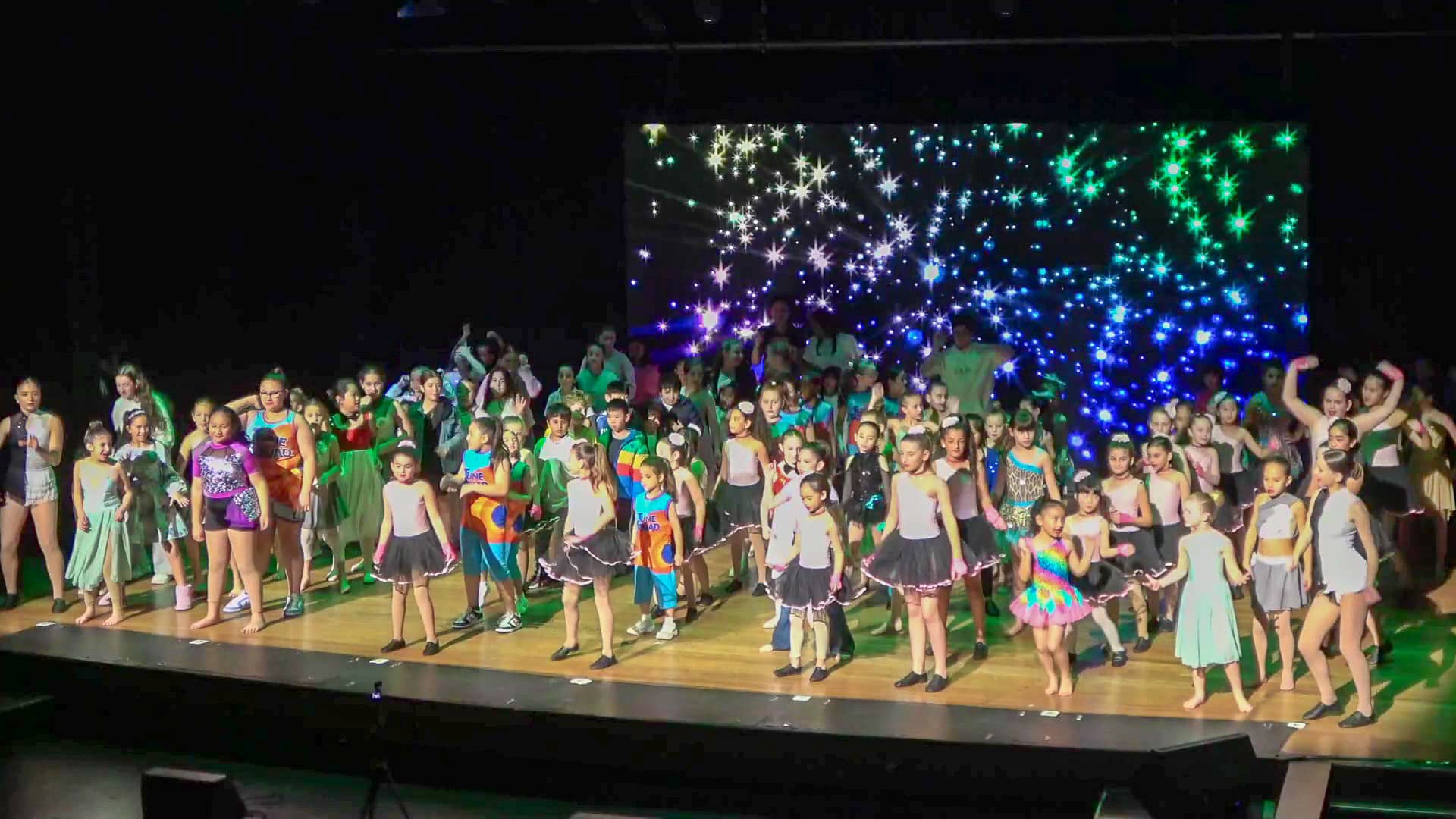


Activ Elite Performers — Shine: 1990’s
In July 2024, we recorded Activ Elite Performers from Carlton in their show, Shine: 1990’s. The highlights reel features the Intermediate and Senior performance.
Short highlights can showcase students’ skills and promote a dance school on Instagram, YouTube and other channels.
Thank you to Charisse and her team for inviting us to capture the performance.
Contact us to see the concert highlight video and discuss examples relevant to your production.
Your concert videography planning guide
Explore the detailed considerations below, from reviewing a portfolio and choosing camera coverage to rehearsals, editing and distribution. These are planning topics to discuss, rather than a list of automatic package inclusions.
Why professional concert coverage matters
Dance combines movement, choreography and expression. A useful concert video needs to capture all three. Students and families should see the performance clearly and enjoy watching it again.
Camera placement, lighting and sound all affect the result. Wide shots show formations and the full stage. Closer views reveal expressions and solo moments. The editor then combines these views to follow the performance.
A concert recording also gives your school an archive. You can discuss shorter promotional edits for future students and families.
Experience, equipment and communication
Start with experience in live performances. Ask how the producer handles fast movement, quick entrances and changing stage lights. Their examples should show steady framing, clear focus and thoughtful camera positions.
Check the equipment too. Suitable cameras, lenses and supports help record sharp pictures in difficult lighting. Audio equipment and editing skills matter just as much.
However, equipment alone does not establish quality. Look for a creative approach that respects the choreography. Choose someone who explains their plan clearly and answers your questions.
Build a shortlist
Ask other schools or studios for recommendations. Then watch examples from several local video producers. Compare complete performances as well as short highlights.
Make notes about the work you like. Ask past clients about communication, reliability and delivery. This helps you compare both the finished video and the experience of working together.
Look at framing and picture quality
Watch how the camera follows movement. Does the producer combine wide, medium and close views smoothly? Look for unnecessary zooming, shaky shots and blocked views.
Check whether audience members obscure the stage. Faces should retain detail under bright lights. Also watch for dark shadows, washed-out highlights and distracting colour casts.
Listen to sound and assess the edit
Listen to singers, music and applause. Can you hear the performance clearly? Excessive room echo or a poor balance can make a recording hard to enjoy.
Next, check the editing. Changes of angle should follow the performance naturally. A static wide shot may document the stage, but offers little detail of individual performers.
Check titles and delivery options
Ask about opening titles, your school logo and closing credits. Check whether the editor can include performance and student names from your programme.
Discuss MP4 files, USB copies, DVD and online downloads. Also ask about shorter clips for social media. Finally, invite the producer to explain the technical choices behind their examples.
Documentary coverage
A documentary approach follows the performance as it happens. Wide shots establish the stage. Medium shots show a performer’s full movement, while close views reveal expressions.
Cinematic and multi-camera options
A cinematic edit may use creative framing, camera movement, slow motion or effects. Discuss these choices carefully so they support the dance.
Two or more cameras can record different angles at the same time. Possible positions include the auditorium and dress circle. Ask how each position will contribute to the finished video.
Your producer should explain how the proposed style suits your performance and expectations.
Choose the coverage before the show
A single camera records one viewpoint at a time. Multiple cameras can capture different shot sizes and angles together.
Each approach has advantages and limits. Your budget, venue, choreography and intended audience should guide the choice. Discuss those factors before agreeing on camera numbers and crew.
Benefits of multiple cameras
Multiple cameras can record a wide stage view alongside medium shots and close-ups. The editor can then change views without showing every zoom or camera adjustment.
For example, a wide shot can establish a group formation. A closer angle can then follow a dancer’s leap. Another camera may also provide a useful alternative when someone blocks a view.
Costs and coordination
Extra cameras may require more operators, equipment, cabling and space. The crew needs a clear plan so each camera serves a different purpose.
Editing also takes time. The editor must synchronise the camera recordings and any separate audio. This work can increase the production cost and turnaround time.
Benefits of one camera
One camera and operator usually cost less. Setup is simpler, and the smaller footprint may suit a crowded venue. The operator can focus on one continuous view of the performance.
Limits to consider
One camera cannot record two different viewpoints at once. A close view of one performer may miss another entrance elsewhere on stage.
The camera position therefore matters greatly. It needs a clear stage view without obstructing the audience. The editor also has fewer choices when changing shot size or covering camera movement.
A single-camera recording may suit a simple performance or internal review. A complex group production may benefit from additional angles.
Match coverage to your priorities
Budget: Balance the benefits of extra angles against the added camera, crew and editing costs.
Performance: A solo performance differs from a class of twenty dancers with formations and featured moments.
Audience: An internal archive may need less detail than a production for students and families.
Venue: Consider audience seating, camera positions, power and possible obstructions.
Talk through these points with your producer. Together, you can choose coverage that suits the concert and your expectations.
Understand the quote
Discuss your budget openly. Concert duration, performance complexity and editing requirements all affect the price.
Ask for a breakdown covering cameras, crew, equipment and post-production. Also discuss travel, parking, permits and any relevant licensing costs.
Clarify what the quote includes and what could cost extra. This helps avoid surprises as the project develops.
The cheapest quote may not offer the best value. Compare experience, communication, creative judgement and the quality of the finished work.
Agree on the production plan
Arrange a detailed conversation before the concert. Share your venue, running time, performer numbers and age groups. Explain any choreography or technical requirements that could affect coverage.
Discuss camera positions, shot choices and the intended edit. Also agree how you will share updates and programme changes. Email, phone calls or an online meeting can all work.
Plan feedback and delivery
Ask whether the project includes a draft for review. Agree when you can give feedback and which changes the quote covers.
A clear review process helps the editor understand your preferences. It also keeps the project moving towards the agreed delivery date.
Understand the performance
Share the programme and discuss the choreography with your producer. Identify solos, important entrances, formations and changes in lighting or effects.
Check the venue and equipment
Arrange a venue visit or rehearsal access where possible. This helps the producer choose camera positions and identify obstacles or hazards.
The crew should check cameras, supports, microphones, cables and other recording equipment before the show.
Prepare cameras, sound and lighting
Camera settings need to suit the venue and stage lighting. Exposure, focus and colour balance all affect the picture.
Discuss a suitable feed from the sound desk with the venue’s audio team. Confirm the connection and recording levels before the performance.
Additional microphones can capture audience response and provide another sound source. Check these recordings alongside the desk feed.
If extra lighting is necessary, discuss it with the production team first. It should suit the show and avoid distracting performers or the audience.
Use rehearsal time well
A dress rehearsal helps the crew anticipate movement and lighting changes. It also gives performers a chance to see where the cameras will sit.
Where access allows, record test shots and check the sound. Review framing, exposure and camera positions. Then make any necessary adjustments before concert night.
Arrive early and coordinate
Allow plenty of setup time. Arriving at least an hour before the show can help, although larger setups may need more time.
The crew needs time to position cameras, connect sound and check the recording equipment. Coordinate with the stage manager and lighting and sound teams.
Finally, confirm any last-minute programme changes. Prepare alternatives for likely problems and stay flexible as the live show unfolds.
Follow the performance
Watch for solos, formations, entrances and dramatic lighting changes. Choose shot sizes that show both the choreography and individual expression.
Wide views establish the group. Medium and close views add detail when they suit the action. Avoid changing views simply for the sake of movement.
Use suitable tripods or other supports to keep shots steady. Fast dance movements make careful framing and stable camera work especially important.
Review and assemble the footage
The editor gathers the video and audio recordings, then reviews the material. With multiple cameras, synchronising every recording creates the foundation for the edit.
Next, the editor selects views that follow the performance. Titles, sound adjustments and appropriate visual treatments can improve the presentation.
If your project includes a draft, review it with your team. Give clear feedback about names, titles and shot preferences before final delivery.
Shape the final concert edit
Editing combines technical work with creative judgement. The editor reviews the recordings and chooses the most useful angles for each moment.
Where suitable, crops, changes of shot size and slow motion can support the presentation. These choices should respect the choreography and purpose of the recording.
Finish picture, sound and titles
Colour adjustments help balance the cameras. Audio mixing brings the sound sources together, while graphics and titles identify the concert and performers.
Discuss the review process with your producer. Feedback at the agreed draft stage helps resolve preferences before the editor completes the files.
Choose how families will receive the video
Discuss delivery early so the finished files suit your audience. DVD may suit viewers with a compatible player. USB copies offer another physical delivery option.
Online delivery lets students and families download the recording. They can then save their own copy and make a backup. Downloads can also reduce the need for discs and USB drives.
Consider shorter promotional clips
Ask about a short highlights edit or a collection of clips. These can showcase the school, celebrate students’ work and introduce the concert to prospective families.
Suitable clips may also support fundraising or grant applications. Agree the intended use, audience and delivery formats when planning the production.
What our clients say


 Trustindex verifies that the original source of the review is Google.
 Trustindex verifies that the original source of the review is Google.
 Trustindex verifies that the original source of the review is Google.
 Trustindex verifies that the original source of the review is Google.
 Trustindex verifies that the original source of the review is Google.
 Trustindex verifies that the original source of the review is Google.
 Trustindex verifies that the original source of the review is Google.
 Trustindex verifies that the original source of the review is Google.
 Trustindex verifies that the original source of the review is Google.
 Trustindex verifies that the original source of the review is Google.
Tell us about your next performance
Planning a school concert, dance production or end-of-year show? Share your date, venue and requirements so we can discuss the coverage and finished video you need.
Contact Us Now

Fill out the form with any questions about Tapes to Digital Transfers
1 William St Earlwood NSW 2206
movingmemories.com.au
Or call 0411 322 995